-
-
-
- User interface versions
- Building blocks for user interface design
- Adding styles with a css
- Surrounding page
- Changing snippets
- Creating a custom login page (pre 3.4)
- Creating a custom login page
- Using velocity templates within the blueprint
- Create your own web pages
- HTML delivery requirements
- How to customize system mails
-
- Resource files
- Velocity - How does it work?
- Quick Velocity Tutorial
- Debugging velocity scripts
- Velocity Command Reference
- Script Editor Tutorial
- Using velocity for calculations
- Using predefined forms in a html design
- Velocity forms
- Data field identifiers
- Macros and methods
- Velocity library
- Velocity: using the #macro command
- velocity and xml
- Using AJAX in your velocity scripts
-
- Search Engine Optimization
- OTP
- User Interface migration guide
- User account management
- Instructies voor implementatie van visueel editen van nieuwsbrieven
- Login as another user
- Support
- More information about moving to User Interface Version 4.0
- Standaard page layout
- Sections moved to layout
- Aanpassingen in release 2024-7
- Media library
- Aanpassingen in release 2024-10
- Analytics and Matomo
- Registration forms
- How to change names of classes and fields?
- Responsible Disclosure Policy
- How to upload a blob in Velocity?
- Aanpassingen in release 2024-2
- Instances
- Componenten in onze technologie
- Google Analytics
- Street and City helper (postcodecheck)
- Responsible disclosure-beleid
- Postcode check service (straat en huisnummer) kosten
- Expressions
- Regular Expression Reference
-
Resource files
The resource files are used to manage the files of your application.
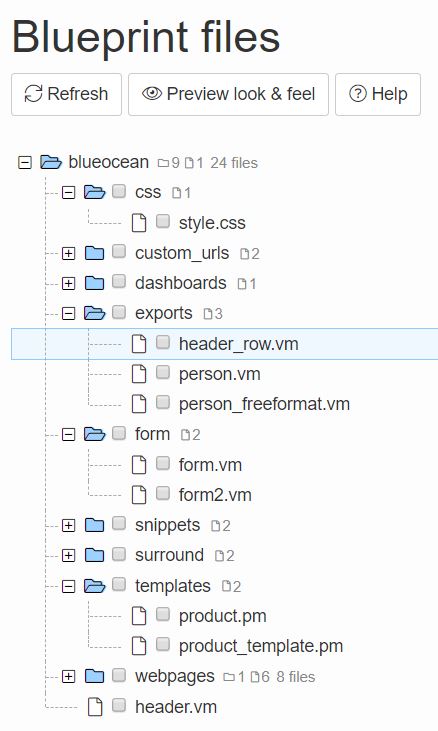
To access the resource files, navigate to Definition - Resources - Resource files. Here the files and folders associated with the application at hand can be found. Files can be added, edited, renamed, copied, downloaded, uploaded or deleted here. It's also posible to search in a folder. To use these functions right click on the folder or file and select an option.
What are the Resources files used for?
There are different reasons why a developer would use files in his application:
- to create your website, this will be Velocity files with web code such as html and css
- to extend the business logic of the blueprint
There are 3 types of Velocity files. The extension types are: '.vm', '.pm' and '.am'.
- a .vm can be called ‘from outside’ by any random internet user
- a .pm can only be called from a blueprint setting or by the use of #parse
- an .am can only be accessed through an AJAX request.
Using vulnerable code, with for example deleting records can cause security issues, so should not be used in .vm files. A .vm file can contain links to .pm files. Check out this page to read more about securely using resource files.