

-
-
-
- Building blocks of the data model
- Basic concepts
- Classes
- Key fields
- Local lookup lists
- Fields and data types
- Defining the columns of a table
- Relations between classes
- Global lookup lists
- Filters
- Universal connected classes
- Deleting foreign records
- Class inheritance
- Storage of personal data on test and develop environment (scrambling)
-
- User interface versions
- Building blocks for user interface design
- Adding styles with a css
- Surrounding page
- Changing snippets
- Creating a custom login page (pre 3.4)
- Creating a custom login page
- Using velocity templates within the blueprint
- Create your own web pages
- HTML delivery requirements
- How to customize system mails
-
-
- Argon2 password conversion
- Introduction to security
- Secure development
- Security certification
- Security Exam
- Field properties concerning security
- Developing user groups securely
- Security considerations for user interface
- Secure file organization
- Securely using the request
- Cross Site Scripting (XSS)
- Other options concerning secure development
- Security analysis
- Secure deployment
- Secure application management
- Scrambling of testdata
- Anonymization of personal data
- Using robots.txt
- Permission settings
- Security measures
- Data encryption
-
Global lookup lists
When a lookup list is used for more than one field, creating a global lookup list might be a more efficient option. Follow these steps:
- Select 'lookup lists' from the studio left menu;
- Click the 'add global lookup list' button at the top to add a new lookup list;
- Enter a name;
- Choose a data type.
- Add lookup list items;
- Fill in the keys, same as for a local lookup list (see section above).
After you have defined a global lookup list, you can use it on one or more fields.To do this, go to the details of the field and select the global lookup list as the datatype. We created a global lookup list called Size with the items S,M,L,XL and XXL(see example below).
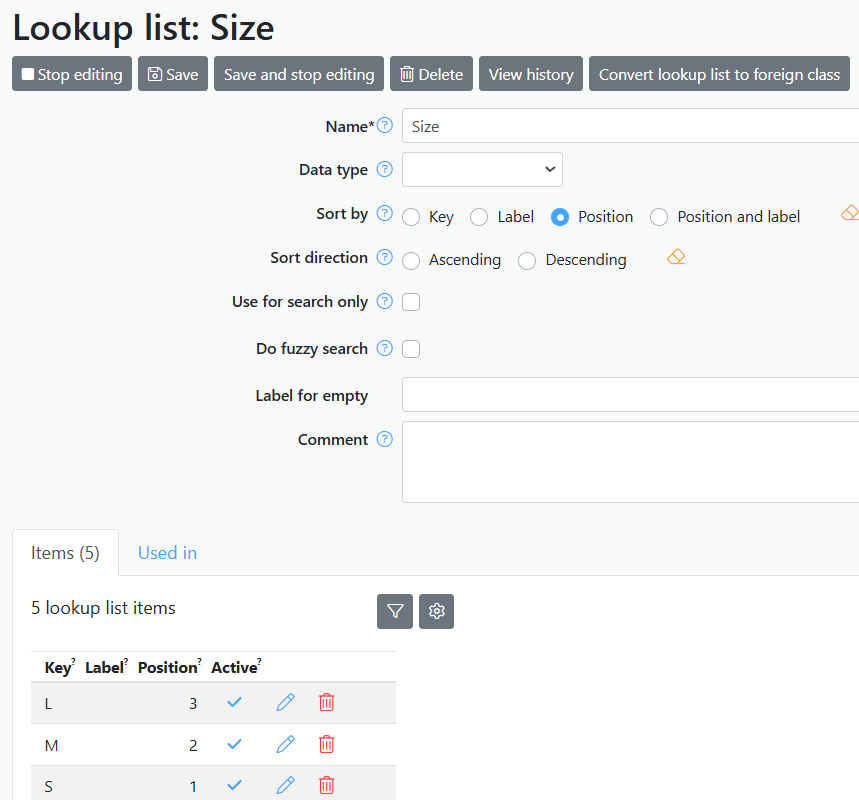
Tip: Always start by creating a local lookup list. With the button ‘Convert to global lookup list’ it is easy to convert the local lookup list to a global lookup list. See Local lookup lists.